Buy LinkedIn Accounts in 2026 — A Verified Seller's Honest Guide
If you searched "buy LinkedIn accounts," you have probably already read three almost-identical articles from antidetect-browser companies that don't actually sell accounts. This guide is different. It's written by an active seller — AccsZone — and it covers the things buyers actually need to know: real 2026 pricing, every account tier explained, country-specific options, the safe login process, and the gaps every other guide skips.
TL;DR — The Quick Buyer's Cheat Sheet
Cheapest entry point: Soft-reg LinkedIn account, MIX IPs — from $1.60 each.
Best value for outreach: 2-month aged with USA / UK / DE / FR / IT IP, Gmail + 2FA — $3.00 to $3.99 each.
Premium tier: ID-verified accounts aged 12 to 16+ years with 500+ real connections — $500 each.
Critical rule: Match the proxy country to the account IP. Use a clean mobile or SOCKS5 proxy. Never log in from your main device's IP.

Why People Are Buying LinkedIn Accounts in 2026
LinkedIn passed 1 billion members in 2024 and the platform has tightened anti-spam, automation detection, and connection limits every year since. A fresh account in 2026 ships with a low trust score, a 100-connection-per-week soft cap, and an algorithmic suspicion of any outreach behavior. That's why people pay for accounts instead of starting from zero.
The real-world reasons are narrower than most articles claim. After serving thousands of buyers, here's what they actually use accounts for:
- B2B lead generation agencies running cold outreach at scale across multiple personas. One agency, ten LinkedIn accounts, ten times the weekly invitation cap.
- Recruiters and staffing firms sourcing candidates beyond LinkedIn Recruiter Lite's price ceiling. Five aged accounts cost less than one Recruiter seat.
- Sales teams using separate accounts per region or per ICP segment without polluting the founder's personal profile.
- Marketing testers A/B testing message scripts, profile copy, and outreach cadences without burning the company's brand account.
- Founders building credibility fast when entering a new industry where their existing network is irrelevant.
- Affiliate marketers and SaaS teams targeting niche audiences with location-specific accounts (US for SaaS, EU for B2B services, MENA for crypto, etc.).
None of these are exotic edge cases. They're the daily workflow at most modern outbound teams. The market for LinkedIn accounts grew because LinkedIn's own pricing model (Sales Navigator at $99/month, Recruiter Lite at $170+/month per seat) makes buying accounts more economical for any team running more than two profiles.
The 5 Types of LinkedIn Accounts You Can Buy in 2026
Most "where to buy LinkedIn accounts" guides treat all accounts as one product. They aren't. There are five clearly different tiers, each with a different price, use case, and risk profile.
Soft-Reg / New Accounts
From $1.60 per account
Days-old accounts, partially filled profiles, MIX-country IP at registration. Cheapest tier — best for low-stakes testing or burner profiles.
PVA SMS-Verified
From $1.99 per account
Phone-verified during signup with a real SMS. Carries a higher initial trust score and survives LinkedIn's first-week verification challenges far better than soft-reg.
Aged Accounts (15 to 60+ days)
From $3.00 per account
Country-specific IP (USA, UK, DE, FR, IT, AU), Gmail mailbox included, 2FA enabled. The mainstream choice for outreach campaigns.
Aged + 500+ Connections
Custom pricing
Older accounts already populated with real connections. Higher message acceptance rates because you start above LinkedIn's third-degree visibility line.
ID-Verified Premium
From $500 per account
10 to 16+ year aged. Government ID verification badge from LinkedIn. 500+ real connections, 1000+ followers. Near-zero ban rate. The flagship tier.

Tier 1 — Soft-Reg New Accounts (from $1.60)
A soft-reg LinkedIn account is a freshly registered profile with the basics filled in (name, photo, partial bio) and a 2FA key in the package. They're created on MIX-country IPs which makes them flexible but means LinkedIn hasn't yet decided which region the account "belongs" to. Use cases: bulk testing, throwaway personas, accounts you plan to fully rebuild from scratch.
The honest trade-off: soft-reg accounts have the highest first-week ban rate of any tier. They're cheap because they're disposable. If you need accounts that survive aggressive automation, skip this tier.
Tier 2 — PVA (Phone-Verified) Accounts (from $1.99)
PVA stands for Phone-Verified Account — the account passed a real SMS verification during signup. PVA matters because LinkedIn uses phone verification as a primary trust signal. Accounts that have already cleared this gate are far less likely to get a "We need to verify your identity" challenge later. AccsZone's PVA tier registers with US +1 numbers and includes the original Gmail mailbox.
Tier 3 — Aged Accounts with Country-Specific IPs (from $3.00)
This is the workhorse tier and the one most lead-gen teams buy in volume. The accounts have been registered for 15 to 30 days (or 2 months for the higher tier), come from a specific country IP (so you can match your proxy), include the original Gmail account, and have 2FA enabled. Available registration countries on AccsZone include USA, UK, Germany, France, Italy, Australia, and MIX.
Why country matching matters
If an account was registered on a German IP and you log in from a US proxy, LinkedIn's risk model will flag the session almost immediately. The first golden rule of using a purchased account is: your proxy country must match the account's registration country. AccsZone delivers the registration IP details so you can match it cleanly.
Tier 4 — Aged Accounts with 500+ Real Connections
An account with 500+ connections crosses LinkedIn's third-degree visibility threshold, which means your messages and posts reach a much larger network than a fresh account. For lead generation, the difference is dramatic — message acceptance rates roughly double once you're above 500 connections. Aged accounts with connections are sold individually rather than in bulk, with custom pricing based on age, connection count, and industry of the existing network.
Tier 5 — ID-Verified Premium Accounts ($500+)
The flagship tier. These are accounts created in 2008 to 2014 — meaning 12 to 16+ years aged — that have passed LinkedIn's government ID verification (the verified badge LinkedIn introduced in 2023). Once an account is ID-verified, LinkedIn rarely re-challenges it. AccsZone's current premium tier includes a 2008-aged account with 500+ connections, 1800+ followers, original email access, and full transfer of recovery info. View current verified inventory.
How Much Does a LinkedIn Account Cost in 2026?
Most articles answer this question with "anywhere from a few dollars to hundreds." That's useless. Here's the actual market in April 2026, based on AccsZone's live inventory and competitor benchmarking:
| Account Type | AccsZone Price | Market Range | Best For |
|---|---|---|---|
| Soft-reg, MIX IP, 2FA included | From $1.60 | $1.50 – $4 | Disposable testing |
| 1-week aged, USA PVA, SMS-verified | $1.99 | $2 – $6 | Cheap warmup base |
| 2025-registered, EU IP, email included | $2.50 – $2.65 | $3 – $7 | EU outreach |
| 15–30 day aged, USA, SMS-verified, Gmail | $3.00 | $4 – $10 | Standard cold outreach |
| USA Gmail + 2FA, partially filled | $3.20 | $4 – $10 | Sales personas |
| ★ 2-month aged, country-specific (UK/DE/FR/IT/AU) | $3.99 | $5 – $15 | Most popular tier |
| Cookie + user-agent included, Germany IP | $10.00 | $8 – $25 | Antidetect-ready transfers |
| Aged with 500+ real connections | Custom | $30 – $200 | Outreach acceleration |
| ★ ID-verified, 12+ years aged, 320+ connections | $500 | $300 – $1,500 | Recruiter / executive personas |
| ID-verified, 16+ years aged (2008), 500+ conn | $500 | $500 – $2,000 | Premium decision-maker outreach |
The price-to-quality rule
Below $1.50 per account, you're either buying recycled accounts that have already been banned and resold, or accounts that will fail within hours of first login. Above $1,500 for a single account, you're paying for either a custom-built persona or a premium that the market doesn't actually need. The sweet spot for 95% of buyers is $3 to $5.
Aged Account Pricing by Registration Year (Live Inventory)
For buyers specifically looking at aged accounts with connections, here's the year-by-year breakdown of AccsZone's aged & connections inventory. Each tier comes with USA IP, 2FA enabled, and either Outlook/Hotmail or original Gmail mailbox access:
| Registration Year | Account Age | Starting Price | Email Type | Connections |
|---|---|---|---|---|
| 2-Month Aged | 2 months | $2.69 | USA PVA Verified, email included | — |
| 3-Month Aged | 3 months | $3.00 | USA PVA Verified, email included | — |
| 4-6 Month Aged | 4 to 6 months | $5.50 | Original email access | — |
| 2025 Aged | ~1 year | $6.00 | Outlook/Hotmail | 0-15 random |
| 2025 Aged | ~1 year | $7.00 | Original email | 0-15 random |
| 2024 Aged | ~2 years | $10.00 | Outlook/Hotmail | 1-15 random |
| 2024 Aged | ~2 years | $10.00 | USA PVA Verified, semi-filled | — |
| 2024 Aged | ~2 years | $11.00 | Original email access | 0-15 real |
| 2023 Aged | ~3 years | $13.00 | Outlook/Hotmail | 0-10 random |
| ★ 2023 Aged | ~3 years | $14.00 | Original email access | 0-15 real |
| 2022 Aged | ~4 years | $15.00 | Outlook/Hotmail | 1-15 random |
| 2022 Aged | ~4 years | $16.00 | Original email access | 0-15 real |
| 2021 Aged | ~5 years | $17.00 | Outlook/Hotmail | 1-15 random |
| 2020 Aged | ~6 years | $18.00 | Outlook/Hotmail | 1-15 random |
Which year should you buy?
For most cold outreach use cases, 2023-2024 aged accounts at $10-$14 hit the best value-per-dollar — old enough to have established trust scores, fresh enough that profiles still look natural for active personas. Go older (2020-2022) if you need maximum credibility for executive-level outreach or recruiter personas.
Country-Specific LinkedIn Accounts — Which Region Should You Buy?
One of the biggest gaps in competing guides: they don't explain which country's accounts you should actually buy. The answer depends on who you're outreaching, not just where you're based. Here's the breakdown:
| Region | Best for | Notes |
|---|---|---|
| USA accounts | SaaS, B2B services, US-based agencies, executive search | Largest connection pool. Highest message engagement. Always match with US proxy. |
| UK accounts | UK financial services, legal, fintech, EU-adjacent outreach | Strong professional network. Lower spam volume than US. Use UK residential or mobile proxy. |
| Germany / DE | EU enterprise sales, manufacturing, industrial | Higher connection acceptance for German-language outreach. GDPR-aware audience. |
| France / FR | French-speaking EU markets, luxury, fashion, agencies | French outreach converts at low volume — pair with native-language messaging. |
| Italy / IT | Southern EU outreach, design, manufacturing | Less saturated than US/UK — easier to stand out. |
| Australia / AU | APAC entry, Australia/NZ recruiting, mining/resources | Different timezone — schedule outreach for AU business hours. |
| MIX countries | Bulk testing, multi-region campaigns, A/B persona tests | Cheapest tier. Lower trust score because LinkedIn hasn't fixed a region for the account. |
If you're running an agency-style outreach with multiple geographies, buy a mix that matches your target geographies, not the operator's location. The account looks more authentic when it's "from" the same country as the prospect.
Is It Legal to Buy LinkedIn Accounts?
Two separate questions get conflated here: is buying a LinkedIn account illegal, and does it violate LinkedIn's terms? They have different answers.
Under US and EU law: buying a digital account is not illegal. There's no statute that prohibits the purchase of an online platform account, the same way there's no law against buying a Reddit account, a Gmail account, or an aged domain. The buyer faces no realistic legal exposure.
Under LinkedIn's Professional Community Policies: account selling and impersonation are prohibited. The platform-level consequence for detection is account suspension — not a legal action. LinkedIn has never sued an individual buyer; they have litigated against scrapers (the famous hiQ Labs v. LinkedIn case, which ultimately went LinkedIn's way), but that's a different category.
Practically: the only realistic risk is the account itself getting restricted. There's no police, no court, no fine. This is why hundreds of agencies buy accounts daily without legal incident — the worst case is the loss of the asset, which is why working with a seller who replaces failed accounts matters more than legal hand-wringing.
The realistic legal picture
Buying accounts is in the same gray area as buying aged domains, sneaker bots, or expired email lists. It's tolerated because it's economically necessary for legitimate businesses, even though platforms officially disapprove. The smart move is to buy from sellers who guarantee delivery and replacement, not to lose sleep over fictional legal risk.
Real Risks (and How Smart Buyers Avoid Them)
The risks are real but predictable. Every one of them has a known mitigation:
Risk 1 — Account banned within 24 hours of first login
Cause: Country mismatch (logging in from a US IP into a German account), shared proxy, or browser fingerprint collision with a previously-banned profile. Mitigation: Match proxy country to registration country. Use a clean dedicated proxy. Check fingerprint with Pixelscan before login. AccsZone replaces accounts that fail under standard conditions within the warranty window.
Risk 2 — Account triggers identity verification challenge
Cause: Aggressive activity in week 1 (sending 50+ connection requests on day one, scraping with automation tools immediately). Mitigation: Follow the warmup protocol below. Connections under 15 per day for the first week. No automation tools until day 14.
Risk 3 — Buying a recycled / previously-banned account
Cause: Cheap sellers reselling accounts that have already been suspended. Mitigation: Buy from sellers who provide registration date proof, country IP details, and a working warranty period.
Risk 4 — Main account gets cross-flagged
Cause: Logging into a purchased account from the same browser, IP, or device as your main LinkedIn. LinkedIn correlates fingerprints aggressively. Mitigation: Use an antidetect browser (GoLogin, Dolphin Anty, AdsPower, Multilogin) with a separate proxy per account. See section 11 below.
Risk 5 — Seller disappears after payment
Cause: Anonymous Telegram-only sellers with no track record, no public reviews, and no domain. Mitigation: Buy from established sellers with public domains, Trustpilot reviews, and stable customer support. AccsZone has been operating since 2023 with public review history.
8 Red Flags That Spot a Bad LinkedIn Account Seller
- No website, only Telegram. Real sellers have public storefronts with terms, refund policies, and support channels. Telegram-only operators can vanish overnight.
- Prices below $1.50 for fresh accounts. The honest cost of registering a phone-verified account in 2026 is around $0.80 to $1.20 just for the SMS and proxy. Anything below $1.50 means recycled inventory.
- "Aged 5 years" claimed for a $2 account. A genuinely 5-year-old account is worth $50+ to its current value-conscious owner. If it's $2, it's not aged.
- No replacement warranty stated. Reputable sellers offer 24 to 72 hour replacement. Sellers who refuse warranty know their accounts won't pass first login.
- "Thousands of accounts in stock." Real PVA inventory rotates fast and is small. A seller claiming 10,000 aged accounts is selling automated bot creations.
- Only PayPal accepted, no crypto option. Mature account sellers offer crypto specifically because chargebacks on $5 transactions wipe out their margins. PayPal-only is a sign of either inexperience or planned exit.
- No country / IP details provided. If the seller can't tell you the registration country, they don't know it themselves — meaning the accounts are scraped from somewhere and resold.
- Glowing 5-star reviews only, no mid-reviews. Real businesses have a mix. Ask for the Trustpilot or independent forum link, not on-site testimonials.

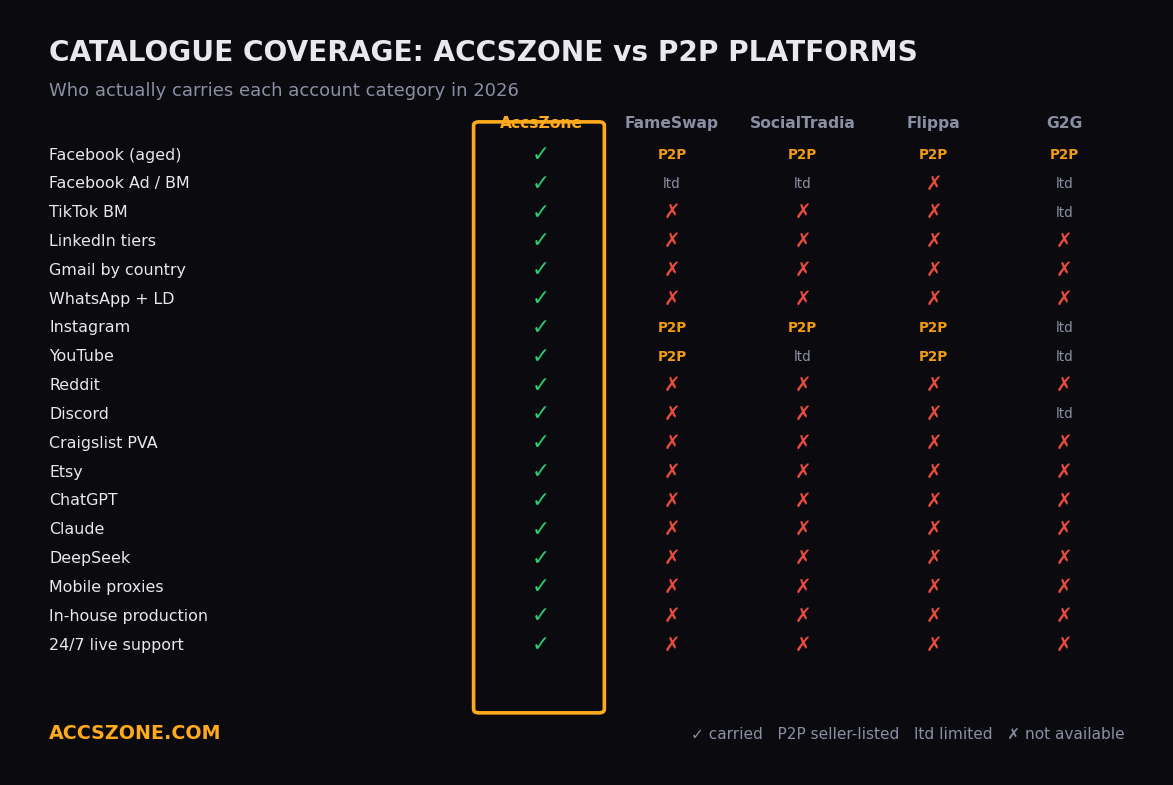
Where to Buy LinkedIn Accounts in 2026 — Honest Comparison
An honest comparison is more useful than a self-promoting one, so here's how AccsZone stacks up against the most-cited alternatives. Every other "top 19 stores" list inflates the field with dead websites and known scams. This is the short, real list:
| Seller | Model | Starting Price | Strength | Weakness |
|---|---|---|---|---|
| ★ AccsZone | One-time purchase, full transfer | $1.60 | Largest tier range (soft-reg → ID-verified). Country-specific IP options. Crypto accepted. 2-month aged at $3.99. | Newer brand than legacy bulk sellers (operating since 2023). |
| MirrorProfiles | Monthly rental | €130/mo | Pre-warmed with 500+ connections. Native antidetect compatibility. | Rental only — you never own the account. Premium pricing. |
| LinkUnity | Rental, ID-verified | ~€200/mo | NFC-passport verified personas. Strong G2 score. | Rental model. Stock varies under load. |
| BIDVA | One-time, ID-verified | $250 | ID verification on every account. Telegram-based delivery. | No web checkout. Single tier (ID-verified only). |
| Z2U | Marketplace (multi-seller) | $6 | Buyer protection. Many seller options. | Quality varies wildly. Disputes are slow. |
| BulkAccountsBuy | Bulk soft-reg | $60 / 100 | Volume discount on bulk soft-reg. | Quality inconsistent. No country targeting. |
| UseViral / Woorke | Marketplace + engagement | $7+ | Bundle deals with followers/engagement. | Mixed reviews on actual account quality. Mostly engagement-focused. |
The market splits roughly into three models: rental (MirrorProfiles, LinkUnity), premium one-time purchase of ID-verified accounts (BIDVA, AccsZone's premium tier), and full-spectrum marketplaces with every tier (AccsZone, Z2U). For most buyers, full-spectrum is the right choice because needs change as campaigns scale.
Step-by-Step: Logging Into Your Purchased LinkedIn Account Safely
Most accounts that fail on day one fail because of how the buyer logged in, not because of the account itself. Here's the safe process AccsZone customers follow:
Step 1 — Read the account file carefully
After purchase, you receive a text file with the login email, password, original mailbox credentials, 2FA key (a string for use with authenticator apps or 2fa.live), browser cookies in base64-encoded JSON, the user-agent string from registration, and the country IP it was registered on. Do not skip the country IP detail. That's the single most important field.
Step 2 — Get a clean proxy that matches the account country
Buy or pull a clean SOCKS5 or mobile proxy from the same country as the registration IP. A residential proxy can work but mobile is safer because residential pools are increasingly burned. Avoid free proxies entirely — they're shared by hundreds of users and almost always pre-flagged.
Step 3 — Set up a clean browser environment
Open a fresh browser profile (or an antidetect browser profile, which is better). Set the timezone to match the account country. Clear all history, cookies, and cache. Do not use a browser logged into your main LinkedIn account.
Step 4 — Decode and import the cookies
The cookies are delivered in base64-encoded format. Visit base64encode.org, select Decode, paste the cookies, and copy the resulting JSON. Use a browser cookie editor extension (like EditThisCookie or Cookie-Editor) to import the JSON directly. With cookies imported correctly, the account often logs in without password prompts.
Step 5 — Handle 2FA via 2fa.live
If LinkedIn prompts for the 2FA code, take the 2FA secret key from your account file, paste it into 2fa.live, and use the rolling 6-digit code. Or import the key into Google Authenticator / Authy on your phone.
Step 6 — Wait 24 hours before changing anything
This is the rule new buyers break most often. Do not change the password, profile photo, headline, or any other detail in the first 24 hours. Just log in, browse, scroll the feed, click a few profiles, and log out. Let LinkedIn register the new device fingerprint as "normal."

The 14-Day LinkedIn Warmup Protocol After Purchase
This is the section every other guide skips. A purchased account that survives day 1 still needs to be warmed up properly, or it ends up restricted at day 7 or day 14 when LinkedIn runs its periodic bot sweeps. Here's the protocol that works:
| Day | Allowed Actions | Avoid |
|---|---|---|
| Day 1 | Login, scroll feed for 5 min, view 3-5 profiles, log out. | Sending any messages or connection requests. Editing profile. |
| Day 2 | Login from same proxy. Like 2-3 posts. Follow 1-2 industry pages. | Connection requests. Profile changes. |
| Day 3-4 | Send 3-5 connection requests only to people clearly in your industry. Comment on 1 post. | Sending DMs. Group joins. |
| Day 5-7 | 5-8 connection requests/day. Light profile updates (one field per day max). | Bulk messaging. Automation tools. |
| Day 8-10 | 10-15 connection requests/day. First post (text-only, industry-relevant). Begin replying to inbox. | External automation tools yet. |
| Day 11-14 | 15-20 connection requests/day. Engage on others' posts. Add experience entries to profile. | — |
| Day 15+ | Begin gentle automation (HeyReach, Skylead, Expandi). Cap at 20 invites/day for first month. | Sending more than 100 invites/week — that's the soft cap. |
Aged tier 3 and 4 accounts can compress this protocol slightly (start at day 5 actions on day 1) because their behavioral history is longer. Soft-reg accounts must follow it strictly.
Running Multiple LinkedIn Accounts Without Bans
If you're using two or more accounts, basic browser separation isn't enough. LinkedIn's anti-multi-account system correlates: IP, browser canvas fingerprint, WebGL fingerprint, screen resolution, installed fonts, timezone, language, audio context, and dozens of other signals. The only reliable way to run more than 2-3 accounts is an antidetect browser.
| Antidetect Browser | Free Tier | Paid Plan | Best For |
|---|---|---|---|
| GoLogin | 3 profiles | $49/mo (100 profiles) | Beginners, easy onboarding |
| Dolphin Anty | 10 profiles | $89/mo | Affiliate marketers |
| AdsPower | 2 profiles | $5.40/mo per pack | Budget multi-accounting |
| Multilogin | None | €99/mo | Enterprise, large teams |
| Octo Browser | None | $29/mo | Strong fingerprinting, mid-budget |
The minimum setup for a 5-account operation: one antidetect browser profile per account, one dedicated proxy per profile (from the matching country), unique browser fingerprint per profile, separate timezone matching the proxy country. Most antidetect browsers handle the fingerprint randomization automatically.
Pro tip — Naming convention
Name each antidetect profile after the account country and a number ("USA-01", "UK-03", "DE-02"). Match the proxy IP nickname to the profile name. This sounds trivial but it prevents the most common operational mistake — logging account A through account B's proxy, which gets both flagged.
What to Do If LinkedIn Restricts Your Account
Even with everything done right, LinkedIn restricts accounts. It happens. The decision tree is:
- Within the seller's warranty window? Open a support ticket immediately, attach screenshots of the restriction page, and request replacement. AccsZone replaces accounts that fail in standard conditions within the warranty period.
- Soft restriction (CAPTCHA or "verify your identity" prompt)? If you have the original mailbox, you can often pass identity verification using the email already in the account. Do not attempt this with a new phone number — adding new contact info almost always escalates to permanent suspension.
- Hard restriction (account suspended)? File an appeal at the LinkedIn restrictions help page. Provide a believable use story (researcher, recruiter, marketer). Success rate is roughly 20-30% on first appeal, higher if the account is older.
- Permanent ban? The account is gone. Move on. This is why agencies buy in batches — the operational expectation is roughly 5-10% loss across a fresh batch in the first 30 days.
Why Buyers Choose AccsZone for LinkedIn Accounts
Pitching ourselves at the end of the article rather than the beginning, because the information above stands on its own. Five concrete reasons buyers come back to AccsZone:
Full tier range
From $1.60 soft-reg to $500 ID-verified — every tier in one marketplace, with live stock counts.
Country-specific IPs
USA, UK, Germany, France, Italy, Australia, MIX. Match your proxy with the registration IP cleanly.
Instant delivery
Standard tiers delivered automatically on payment confirmation. Premium tiers within 1-6 hours.
Crypto + card payment
Cryptomus integration accepts BTC, USDT, and others. Card payments also supported.
Replacement guarantee
Standard warranty window for first-login failures. Open a ticket and our team handles it.
Bulk + reseller pricing
Custom pricing on 20+ accounts and a reseller API for agencies running automated procurement.
Browse live LinkedIn account inventory
All tiers below are live with current stock. Pricing visible without account creation.
Browse All LinkedIn Accounts Telegram Support
Frequently Asked Questions
How much does a LinkedIn account cost in 2026?
Prices range from $1.60 for fresh PVA accounts to $500+ for ID-verified accounts aged 12+ years with 500+ real connections. Mid-tier 2-month aged accounts with country-specific IPs (USA, UK, Germany, France) typically cost $3 to $4 per account.
Is it legal to buy LinkedIn accounts?
Buying LinkedIn accounts is not illegal under US or EU law. However, it does violate LinkedIn's Terms of Service. The legal risk is minimal for the buyer; the platform-level risk is account suspension if detected. See the legal section above for the full breakdown.
Will my main LinkedIn account get banned if I buy other accounts?
Only if you log into purchased accounts from the same browser, IP, or device as your main account. Use an antidetect browser and a separate clean proxy for each purchased account to keep them isolated. See the multi-account section for the operational setup.
What is a PVA LinkedIn account?
PVA stands for Phone-Verified Account. The account has been verified with a real SMS code during signup, which gives it a higher trust score with LinkedIn's algorithm and reduces the chance of triggering identity checks later.
What's the difference between aged and new LinkedIn accounts?
New (soft-reg) accounts are days old, empty, and cheapest. Aged accounts have been registered for weeks, months, or years and have a behavioral history that LinkedIn's anti-spam systems treat more favorably. Aged accounts cost more but ban at far lower rates.
Do I get a replacement if my purchased LinkedIn account is banned?
Reputable sellers including AccsZone offer a replacement window — typically 24 to 72 hours — where any account that fails on first login is replaced. After the warranty window, replacement depends on cause (buyer behavior vs account-level fault).
Can I buy LinkedIn accounts in bulk?
Yes. AccsZone offers bulk pricing on every LinkedIn tier, with custom orders available via Telegram support. Lead-gen agencies and recruiters typically order 20 to 200 accounts per batch with country-specific targeting.
What payment methods can I use to buy LinkedIn accounts?
AccsZone accepts cryptocurrency (Bitcoin, USDT, and others via Cryptomus) for privacy, plus standard cards. Crypto is recommended for bulk orders and buyers who want minimal payment trail.
Are aged LinkedIn accounts with 500+ connections worth the price?
For lead generation and outreach, yes. An account with 500+ real connections starts above LinkedIn's third-degree visibility threshold and gets significantly higher message acceptance rates than a fresh account.
What proxy should I use with a purchased LinkedIn account?
A clean mobile or dedicated SOCKS5 proxy that matches the registration country of the account. Avoid free or heavily-shared residential proxies — LinkedIn flags them quickly.
Can I login a purchased LinkedIn account on my phone?
Yes, but only after first establishing the account safely on desktop with the correct proxy and browser fingerprint. Going straight to mobile from a different IP is the most common reason new buyers lose their accounts on day one.
How fast is LinkedIn account delivery from AccsZone?
Standard tiers are delivered automatically and instantly after payment confirmation. ID-verified premium tiers are delivered manually within 1 to 6 hours during business hours.
What is included when I buy a LinkedIn account?
Standard delivery includes: login email, password, original mailbox access, 2FA key (where applicable), browser cookies in base64 format, and the user-agent string used at registration. Country IP information is included so you can match the proxy.
Do I need an antidetect browser to use bought LinkedIn accounts?
For one or two accounts, a fresh browser profile with a clean proxy and matched timezone is enough. For five or more accounts, an antidetect browser like GoLogin, Dolphin Anty, AdsPower, or Multilogin becomes essential to avoid fingerprint cross-linking.
Can I run LinkedIn automation tools on a bought account?
Yes, after a 7 to 14 day warmup period. Aged and verified accounts handle automation tools (HeyReach, Skylead, Expandi, Dripify) much better than fresh ones, but always start slow — 10 to 15 connection requests per day for the first week.
Final Takeaway
Buying LinkedIn accounts in 2026 is no longer a fringe move — it's standard infrastructure for any team running outbound at scale. The market has matured enough that the question isn't whether to buy, but which tier, which country, and from whom. Stick to the rules in this guide: match your proxy country, follow the warmup protocol, isolate accounts with an antidetect browser, and buy from sellers with public storefronts and real warranty terms. Do that, and your loss rate stays in the single digits.
If you're ready to start, browse the live LinkedIn inventory on AccsZone — every tier covered above is in stock today, with country-specific options on the aged tier and ID-verified premium accounts available on request.