Facebook Marketplace Asking for ID or Age Verification? Every Screen Explained
If Facebook Marketplace has just asked you to upload an ID, confirm your age, or "verify your identity to publish this listing", you are looking at one of three different checks that Facebook runs on Marketplace. They look similar, they use similar wording, and they fail in similar ways, but they have different rules, different accepted documents and different ways out. This guide walks through each screen, what Facebook officially says about it, what it does not say, and what you can legitimately do next. It does not contain workarounds, and it will tell you plainly where Meta has left a dead end.
Which screen did you get?
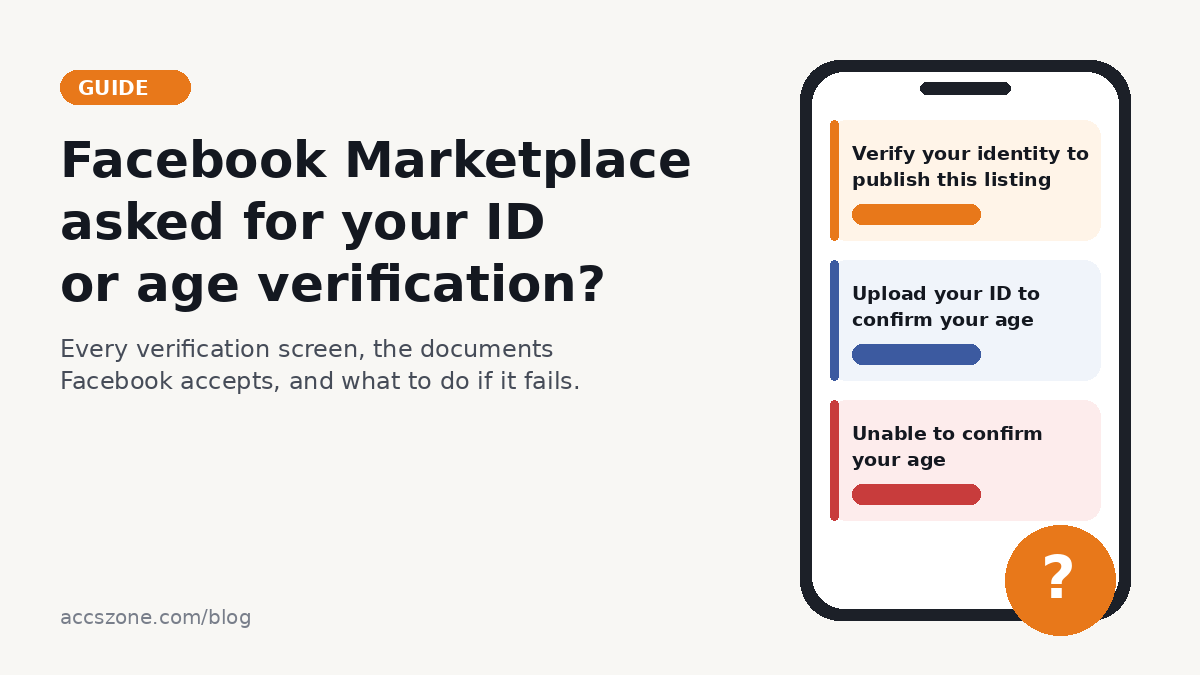
Start here. Match the wording on your phone to the row below, then jump to the section for that check.
| Wording on screen | Which check it is | What it needs | Where to read on |
|---|---|---|---|
| "Verify your identity to publish this listing" / "We've detected unusual activity on your account" / "More info needed to publish this listing" | Listing-level identity check | An ID whose name matches your profile, or in some cases a video selfie | Section 1 |
| "Upload your ID to confirm your age" / "Marketplace is for adults only" / "Unable to confirm your age" | Age check (Yoti video selfie or ID) | A video selfie, or an ID showing your face and date of birth | Section 2 |
| "Confirm your identity" while setting up shipping, checkout or payouts | Seller (shipping) verification | Government photo ID front and back, plus tax and address information in the US | Section 3 |
| "Marketplace isn't available to you" | Access block (age, region, profile type, or policy) | Depends on the cause | Section 4 and our guide to Facebook Marketplace not working |
1. "Verify your identity to publish this listing"

This screen blocks a single listing until you complete an identity check. Two versions of the in-app text are in circulation. One refers to unusual activity on the account. The other, reported by sellers since late 2024, says Facebook is asking people who haven't been active on Facebook to confirm their identity before selling on Marketplace, and adds that if you use an ID, the full name and personal details will need to match what's in your Facebook profile.
What Meta documents. Facebook's page on why it asks for ID says the purpose is to "detect and prevent risks such as impersonation or ID theft", and that reviews use "both manual review and automated systems", sometimes with trusted service providers (What happens to your ID after you send it to Facebook). The Help page specifically about confirming identity to sell as a business on Marketplace is a stub that says the feature is only available to select sellers (Help 212079120710494).
What Meta does not explain. There is no Help Center article that lists what triggers the listing-level check. Sellers report it after a burst of new listings, after reporting or being reported by a buyer, on old accounts with strong ratings, and on accounts whose display name is not their legal name. Those are user reports, not Facebook statements, and this guide does not present any of them as the reason.
What you can do: complete the check with your own ID, in the Facebook mobile app, using a document whose name matches the name on your profile. If your profile name is a nickname or differs from your ID, Facebook's rule is that the name on the document must be the name you want shown on your profile (Types of IDs that Facebook accepts). Changing the profile name to match your ID is the documented route; it is subject to Facebook's name-change limits, so do it once, correctly.
2. The age check: video selfie or ID

Marketplace is limited to adults under the law of your country, "at least 18 years old in the United States or at least 20 years old in Thailand" in Facebook's own example (Who can use Facebook Marketplace). If Facebook is not confident you meet that bar, Marketplace disappears or you are asked to confirm your age before you can continue. The check is offered on the mobile app; Facebook says an adult who has been blocked "can verify your age on the Facebook app from your mobile phone to regain access" and notes that "some regions may have different verification methods available".
How the video selfie works
Facebook partners with Yoti, "a third-party age verification service" certified under the Age Check Certification Scheme (Confirming your age on Facebook). You are asked to keep your whole face visible, use good light, remove anything that blocks your face, and move your face in different directions. Meta states that the technology "only estimates age. It can't identify specific people", that it "can take up to 20 minutes", and that you get a notification with the outcome (How video selfie age verification works on Facebook). The selfie image is deleted once your age has been estimated.
How the ID path works
For an age check the ID "must include a photo of your face and your birth date", and Facebook lists passport and driver's licence as the examples (How using your ID to verify your age works on Facebook). You scan the ID with the phone camera, so you have to allow camera access; the same page tells you to lay the ID on a flat surface, avoid glare or shadows, centre it, and either submit the scan or retake it.
3. Seller verification for shipping and payouts
This is the third check, and it is the strictest. It applies when you sell with shipping or checkout and Facebook needs to pay you out. The documents must show first and last name, date of birth, issue and expiry dates and the document number, and the name must match the name on your Marketplace profile (Acceptable forms of identification for seller verification on Facebook Marketplace). In the United States it also asks for proof of address and a tax identifier. If Facebook cannot verify your identification, "all payouts and transfers to your account will be put on hold" (I'm having trouble verifying my identity for shipping).
Which IDs Facebook accepts, by check

The accepted documents differ by check, and mixing them up is one of the most common reasons a submission goes nowhere. Facebook also asks you to submit "only the required documents", because sending more "may delay the review process".
| Check | Accepted | Not accepted / conditions | Source |
|---|---|---|---|
| Age check | Passport or driver's licence, or another ID that shows your face and date of birth | Anything without a face photo or a birth date | Help 671565971895323 |
| Identity (name) check | One government ID: driver's licence, national identity card, passport, birth certificate. If you cannot provide one, two different non-government documents (student card, library card, refugee card, employment verification, diploma, loyalty card) | Everything must show your name; at least one document must show your date of birth and/or photo; the name must be the one you want on your profile; digitally altered photos are refused | Help 159096464162185 |
| Seller (shipping) verification | Passport or passport card; driver's licence (front and back); state or government-issued ID (front and back) | Military IDs, state medical cards, student cards, and expired, partial or obscured documents; a name change may require additional documentation | Help 813575322878694 |
Two practical consequences follow. A vertical (under-21) US driver's licence is a valid government ID for an identity check, but for an age check what matters is that the face and birth date are readable; several people who turned 18 recently report failing with such licences, and Meta has not published guidance on them. And a document that has expired is explicitly rejected for seller verification and for political-ad authorisation; the general ID page does not state an expiry rule, so use a current document in every case.
Taking a photo of your ID that will not be rejected

Meta publishes very little about why an upload is rejected, so this section only repeats what it does state, plus what the app itself tells you.
- Photograph the physical document. The in-app screen says Facebook does not accept photos of a computer screen, a phone screen or a photocopy.
- Do not edit the image. Facebook "doesn't accept photos that have been digitally modified to hide information". If you want to hide non-essential details such as an ID number, you may "physically cover" them before taking the photo; Facebook says it ignores sensitive fields it does not need anyway (Types of IDs that Facebook accepts).
- Flat surface, no glare, no shadows, document centred, and allow camera access when the app asks (Help 671565971895323).
- Make sure the name on the document is the name on your profile. This is the one condition that appears on every ID page Facebook publishes.
- Use a current, complete document. "Expired, partial or obscured documents" are listed as unacceptable for seller verification.
Facebook does not tell you which of these caused a specific rejection. If your upload was refused and you can identify one of the points above that applied, fix it and resubmit where the app allows it. If none applied, see the next section.
"Unable to confirm your age" and other failure states

What Meta documents. After a failed video selfie the app tells you that you will be asked to try a new verification method, that "verification methods vary by location", and that they "may not be immediately available in your area". The Help pages confirm that the alternative to the selfie is an ID upload, that the selfie check takes up to 20 minutes, and that an adult who is wrongly blocked can verify age in the mobile app.
What Meta does not explain. No Help Center page states why a particular selfie or ID fails, how many attempts you get, whether there is a waiting period between attempts, or how to appeal a failed age check. This guide will not invent one. Everything in the table below is either an official statement or clearly labelled as what people report.
| What you see | Official position | What you can legitimately do |
|---|---|---|
| "Unable to confirm your age" after the selfie | You will be offered another method; availability depends on location | Take the ID path with a passport or driver's licence that shows your face and date of birth. Check that the birthday on your profile is correct first; a wrong birth year is the one cause Facebook's Marketplace access page names directly. |
| ID submitted, no result for days or weeks | Only the shipping-seller page gives a timeline: re-submit if you still see the request, and after more than a week of pending review contact support from a recent shipped order | For a shipping seller, use that route. For the age or listing check there is no documented contact route; Facebook's general advice is to check your Support Inbox and notifications, where the outcome is delivered. |
| Rejected, and the upload button is gone | Not documented | This is the most-reported dead end. Confirm you are on your main profile (Marketplace is not available on additional profiles), update the app, and try again after the app has been reinstalled; if the option does not return, there is no official next step to report. |
| Verified elsewhere (Ads Manager, a mailed code) but Marketplace still blocked | Marketplace age verification is its own check in the mobile app | Run the Marketplace check in the mobile app rather than assuming a business verification carries over. |
| SMS code never arrives, or "this number has already been used" | Not documented for Marketplace | People commonly report success with a different mobile number that is not attached to another Facebook account; that is a user report, not a Meta statement. |
| "You haven't been on this device long enough" | Not documented | Facebook is asking you to keep using the account from that phone; there is no published waiting period. |
| Name on the profile differs from the ID | The name on the document must be the name you want shown on your profile | Change the profile name to your legal name, then verify. Do not submit someone else's ID. |
4. "Marketplace isn't available to you"
This message is an access block rather than a verification request, but it often follows a failed check. Facebook's page for it lists the causes it recognises: your age has not been verified, you are on an additional profile rather than your main profile, Marketplace is not available in your country, or your access was removed after a listing broke Commerce Policies (I can't access Facebook Marketplace). If access is restored you may need to refresh facebook.com or update the app before it appears. For the full list of non-verification causes, including new-account and regional issues, use our separate guide to Facebook Marketplace not working.
The review and appeal paths that actually exist
Because forum threads are full of appeals that go nowhere, it helps to know exactly which routes Meta provides.
- A listing or Marketplace access removed for a policy reason. Open your profile, go to Profile status, select Marketplace, open the issue and choose Request review. A review is not available if more than 180 days have passed, if you already requested one, or if the rule you broke is not reviewable (What to do if your Facebook Marketplace listing is rejected). The Marketplace item appeal form referenced on the access page covers the same situation.
- Seller verification for shipping pending too long. Re-submit your documents; after more than a week pending, use Contact support on one of your recent shipped orders (Help 3000163083552472).
- A failed age check or a rejected ID on the listing check. There is no documented appeal. The only official instruction is to verify your age in the Facebook app on a mobile phone. If the app offers another attempt, take it with the document rules above; if it does not, Meta has not published a route, and no third party can open one for you.
If the underlying problem is a suspended or disabled account rather than a Marketplace check, that is a different process; see why Facebook accounts get disabled.
What happens to your ID after you upload it
Meta's statements on this are consistent on the principle and inconsistent on the number, so both are quoted. Your ID "will be stored securely" and "won't be visible on your profile, to friends or to other people on Facebook" (What happens to your ID after you send it to Facebook). The age-verification page and Meta's 2022 newsroom post say the ID is deleted within 30 days. The general identity page says Facebook "may securely store your ID for up to 1 year", that it will tell you at the time if it does, and that you can change this in your Identity Confirmation settings. For the video selfie, Meta says the image is deleted once your age has been estimated. Meta also suggests deleting the photo of your ID from your phone's gallery once the upload is complete.
Country, region and device differences
- The adult age is set by local law, so the threshold differs by country (Facebook cites 18 in the United States and 20 in Thailand).
- Age verification runs in the mobile app; Facebook's pages direct you to "the Facebook app from your mobile phone" and say some regions may have different methods.
- Marketplace is not available on additional Facebook profiles; switch to your main profile.
- Seller verification with tax information is a United States flow; the document rules in that section are US-specific.
- Accepted ID types for political-ad authorisation "differ by country"; the Marketplace pages do not publish country-specific lists.
Frequently asked questions
Why is Facebook Marketplace asking for my ID?
Because one of three checks has been triggered: an age check before you can use Marketplace, an identity check before a listing can be published, or seller verification for shipping and payouts. Meta explains the purpose (preventing impersonation and ID theft) but does not publish the exact triggers for the listing-level prompt.
What ID does Facebook Marketplace accept?
For an age check, a passport or driver's licence showing your face and date of birth. For a name or identity check, one government ID or two non-government documents. For seller verification, a passport, driver's licence or government ID front and back; military IDs, medical cards, student cards and expired or obscured documents are refused.
Why does it say "Unable to confirm your age"?
The video selfie estimate did not confirm you are an adult. Facebook offers an ID upload as the alternative. It does not publish why a given selfie fails or how many attempts you get.
How long does Marketplace identity verification take?
The selfie check takes up to 20 minutes. Meta gives no timeline for ID reviews on the age or listing checks. For shipping sellers, Meta says to contact support from a shipped order after more than a week pending.
Can I use Marketplace without verifying?
Not once Facebook has asked. The only documented way to regain access as an adult is to verify in the mobile app.
Is it safe to upload my ID to Facebook?
Meta says the ID is stored securely, is never shown on your profile, and is deleted after the check (within 30 days on the age page, up to one year on the general page, with a setting to control it). Whether that is acceptable is your decision; this guide reports what Meta states.
Related, for business and agency operators
Marketplace-ready Facebook accounts for legitimate multi-store workflows
Everything above is about getting your own account through Facebook's checks, and nothing on this page changes the fact that a verification request is tied to you as a person. Separately, agencies and multi-store sellers who run several legitimate Marketplace operations sometimes need additional Facebook profiles that have already completed a driver's-licence verification and Marketplace approval. AccsZone lists those: Facebook Marketplace DL Verified accounts, delivered with SMS and email verification, 2FA, and full email access, registered from USA IPs. Two things to be clear about: they are not a fix for a verification request on your existing account, and a purchased profile can itself be asked to verify at any time, so treat them as an operational tool for a business that would otherwise be creating profiles anyway.


If you are simply trying to sell a sofa and Facebook asked for your ID, you do not need this section. Go back to the screen you received and complete the check.
Sources
- Facebook Help Center, Types of IDs that Facebook accepts
- Facebook Help Center, Acceptable forms of identification for seller verification on Facebook Marketplace
- Facebook Help Center, How using your ID to verify your age works on Facebook
- Facebook Help Center, How video selfie age verification works on Facebook
- Facebook Help Center, Confirming your age on Facebook
- Facebook Help Center, Who can use Facebook Marketplace
- Facebook Help Center, I can't access Facebook Marketplace
- Facebook Help Center, I'm having trouble verifying my identity for shipping on Facebook Marketplace
- Facebook Help Center, What to do if your Facebook Marketplace listing is rejected
- Facebook Help Center, What happens to your ID after you send it to Facebook
- Meta Newsroom, Introducing New Ways to Verify Age on Instagram (Yoti partnership, 30-day deletion statement)