Grindr Web Login: How to Use Grindr in a Browser, What It Requires, and Why Logins Fail
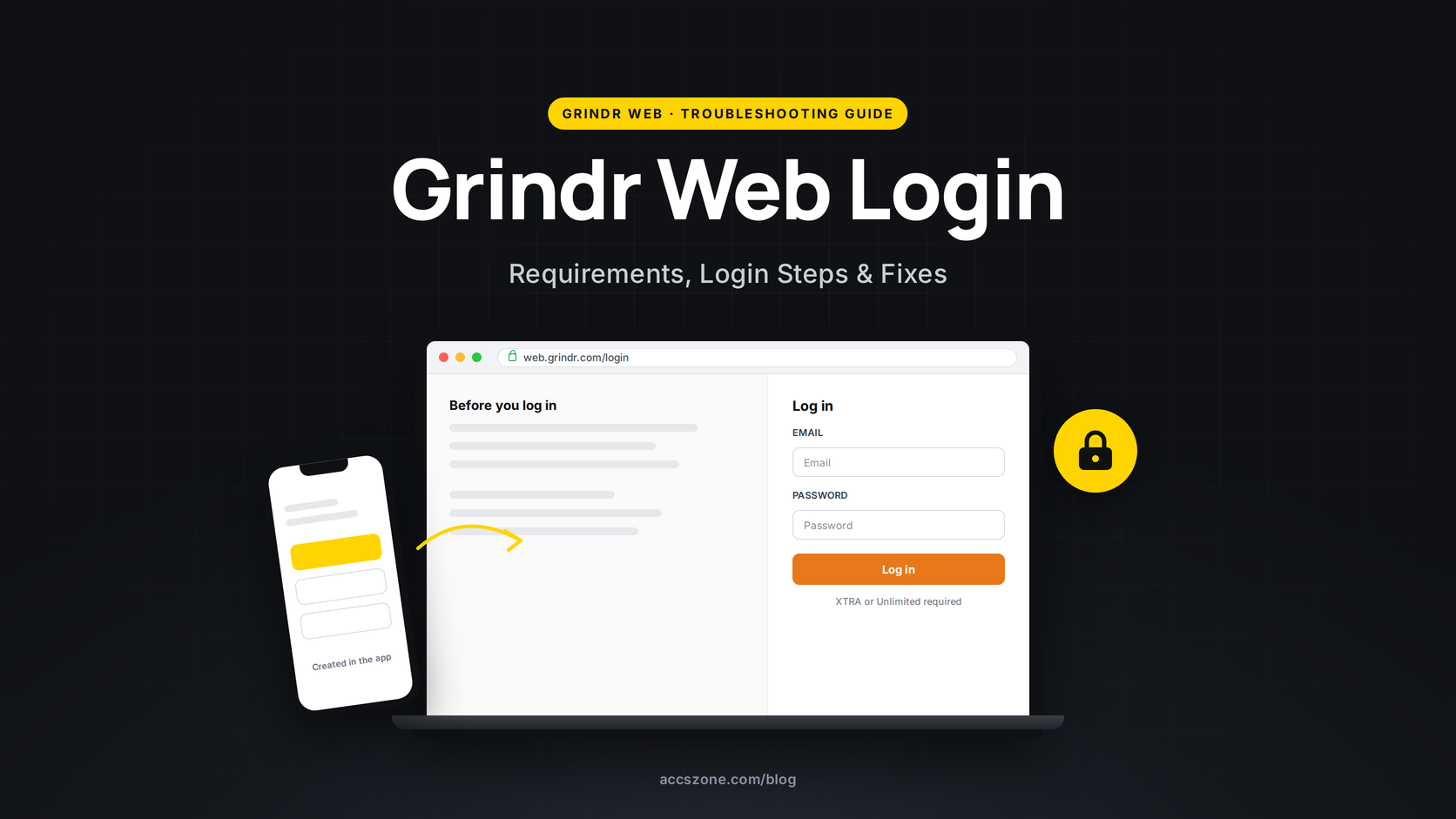
Grindr Web is Grindr's browser version, and the login rules around it are the reason most people end up searching for help: you sign in at web.grindr.com/login with the same credentials as the app, but only if the account already exists and only if it has an active XTRA or Unlimited subscription. There is no QR code any more, no way to register on the web, and no way to buy the subscription there either. This guide covers the current login method, what free users see, the browser and location requirements, what stays app-only, and the documented fixes when the login fails.
The short version. To use Grindr Web you need three things:
1. A Grindr account that was already created in the mobile app.
2. An active Grindr XTRA or Grindr Unlimited subscription on that account.
3. A supported browser with location access and pop-ups allowed, not in private mode on Safari.
If any of the three is missing, the login fails or you are told to go back to the app.
Who can use Grindr Web
What Grindr documents. The Help Center page for Grindr Web describes it as "a browser-based version of Grindr (currently available only to our XTRA and Unlimited subscribers)" that "can be accessed via your laptop, smartphone or tablet". The Grindr XTRA and Grindr Unlimited feature lists both include "Grindr Web" as a paid feature. Grindr launched this version in May 2023 as "Grindr Web Beta", "exclusively available to our XTRA and Unlimited subscribers", and the login page still carries the "beta" tag.
What we verified. On 15 September 2026 the web app's own interface text includes the message a free account receives: "Grindr Web is only available to XTRA and Unlimited subscribers. Upgrade your account on the Grindr mobile app and then come back here to log in with your account info." We did not have a free account to trigger the screen, so the message is quoted from the app's text, not from a screenshot.
There is no separate "web subscription". Grindr's list of features that are only available in the app includes "Manage your subscription, or make other purchases on Grindr", so the upgrade has to be bought through the app store on your phone, after which the same login works in the browser. The Unlimited Day Pass counts too, since it gives Unlimited features for 24 hours, but Grindr states it "cannot be transferred to another account or profile".
How to log in to Grindr Web (current method)

What Grindr documents. "You can log into Grindr Web at web.grindr.com/login using your normal Grindr login credentials (email & password, or third-party)." The QR-code scan that older guides describe belonged to the 2020 version of Grindr Web; its Help pages ("scan the QR code using your Grindr app") were deleted when the 2023 version launched.
- Open web.grindr.com/login in Chrome, Firefox, Edge or Safari (version requirements below).
- Choose the same method you use in the app. If you registered with an email address, use Sign In With Email; if you registered through Facebook, Google or Apple, use that button. Grindr's login troubleshooting page says an account created through a third-party service cannot have email and password credentials added later, so the email form will not work for those accounts.
- Type the email in lowercase. Grindr states the login "is case-sensitive".
- Decide on Keep me logged in. Grindr's description: "toggle this on to remain logged in, or toggle it off to be logged out after 15 minutes of inactivity."
- Allow location access and pop-ups when the browser asks. Grindr: "Location access and pop-ups are required to use Grindr Web."


Forgot your password?
What we verified. The web login form has a Forgot Password link that opens web.grindr.com/forgot-password, a single field for "Your Grindr login Email" and a Send Recovery Link button.
What Grindr documents. "Password reset links have an expiry time of 3 minutes. If you did not find the password reset email, please check your spam." And: "You will NOT be able to reset your password if you created your account using a third party platform." Grindr's password rules: at least 8 characters (10 in some countries), one number, one lowercase, one uppercase and one special character from !@$%^&#?/-(){}[].
You cannot create an account on Grindr Web

What Grindr documents. "It is not currently possible to create a new Grindr account using Grindr Web. All new accounts must be created using the Grindr app." Search queries like "grindr web sign up" and "create grindr account on web" have no working answer, and this is why: registration, SMS verification and the age check all happen in the app.
If registration in the app is what is failing, Grindr's own pages cover it. Its SMS verification page states that email-and-password accounts must verify by SMS, that "You can only verify a maximum of 5 accounts to any phone number", that landlines, "certain internet-based/voice-over IP phone services" and some texting apps cannot receive the code, that there is a 24-hour window to receive it, and that the "Phone number used too many times" error means "Please wait 24 hours and try again." The "Maximum number of accounts" error means you have hit the limit of Grindr accounts on that email address. None of this can be worked around from the browser.
Browser, location and pop-up requirements
What Grindr documents. Supported browsers are "Chrome (version 111.0.5 and above)", "Firefox (version 111.0.1 and above)", "Microsoft Edge (version 111.0 and above)" and "Safari (version 16.3 and above)". "Location access and pop-ups are required to use Grindr Web." For iPhone and iPad: "Make sure you're not in private browsing mode. Safari will automatically block location services while in private browsing mode."
Two practical consequences. First, a browser extension or setting that blocks location or pop-ups will stop Grindr Web from working even though the login itself succeeds, so if the grid never loads after you sign in, check the site permissions for web.grindr.com before anything else. Second, Grindr Web uses what Grindr calls Approximate Location, "a randomized location within 500 to 1,500 meters of where you actually are", so distances shown in the browser will not match the app exactly. That is by design, not a bug.

What stays app-only
What Grindr documents. The Help Center lists these as "only available in the app": "Create a new account", "View expiring photos/videos", "Manage your subscription, or make other purchases on Grindr", "Browse the Fresh or Explore grids", "Record audio or video messages", "Pinned conversations", "Persistent filters between your app and the web", "Saved phrases", "Video chatting" and "Chat message translation". Two further notes from the same page: "Recording audio messages is only available if you're using Grindr Web on Safari", and "You can view private Albums on desktop, but not on mobile web."
So the browser version is for browsing the grid and chatting. Anything involving money, registration, expiring media or the Explore and Fresh tabs sends you back to the phone.
Using Grindr Web discreetly
What Grindr documents. The Escape Hatch lets you "quickly exit Grindr Web, automatically opening a Google tab in its place, and clearing your browser history"; it is "available exclusively on desktop" and is triggered when you "quickly press the ESC button three times". Grindr's account-security page adds: "If you use Grindr Web: don't log into Grindr Web on public computers."
What we verified. The login page itself shows a reminder in the corner: "Using Grindr discreetly? Press your esc key 3 times for a quick getaway."
Why the Grindr Web login fails: symptoms, causes and fixes
The table separates what Grindr states from what it leaves unexplained. Where Grindr publishes no cause, the row says so rather than guessing.
| What you see | What Grindr documents | What to do |
|---|---|---|
| "Grindr Web is only available to XTRA and Unlimited subscribers" | Web access is a paid feature of XTRA and Unlimited; subscriptions cannot be bought or managed on the web. | Upgrade in the mobile app (or use an Unlimited Day Pass), then log in again with the same account. |
| "Invalid login credentials" | The web app's message says to "try again or reset your password using the Grindr mobile app." Grindr also notes the email is case-sensitive and that third-party accounts have no email/password login. | Type the email in lowercase; if you registered with Google, Facebook or Apple, use that button instead of the email form; otherwise use Forgot Password. |
| Account created with Apple ID will not log in | Login troubleshooting: "If you created your account using an Apple ID, please note that it is only accessible on iOS devices." The web login page nevertheless offers a Log In With Apple button. Grindr does not explain how these two statements combine. | Try Log In With Apple in Safari on an iPhone or iPad first. If it fails elsewhere, that is consistent with Grindr's documentation, and the app on iOS is the reliable route. |
| Login succeeds but the grid never loads | "Location access and pop-ups are required to use Grindr Web." Safari private browsing blocks location on iOS. | Allow location and pop-ups for web.grindr.com in the browser's site settings; leave private mode; on Android, Grindr's error page recommends the High Accuracy location method. |
| "Unable to refresh" / "Unable to refresh. Please try again later." | Grindr's error glossary lists a VPN, government-censored regions and IP blocks as causes of the first, and a reached server rate limit for the second ("Wait for approximately 30 minutes"). | Turn the VPN off and reload; if the message includes "try again later", close the tab, wait about 30 minutes and log in again. |
| Logged out after a few minutes | With Keep me logged in off, Grindr Web logs out "after 15 minutes of inactivity". Changing your password logs the account out "on any other device". | Turn on Keep me logged in on a private computer; expect a forced logout after any password change. |
| Old email/password stopped working after a long break | "All Grindr accounts with no login activity from the past two years will be automatically deleted." Deleted accounts cannot be reinstated. | Create a new account in the app; Grindr says you can reuse the previous login credentials. |
| Grindr not reachable at all from your location | Grindr keeps a list of countries where the app is government-restricted, sanctioned or delisted from app stores, and says of VPNs there that it "cannot guarantee that their use will be effective". | Check the censored-regions page linked in the sources; Grindr offers no fix for those regions. |
| Banned or suspended account | A ban blocks the account everywhere, not just on the web. Appeals go through Grindr's ban-appeal form, which requires logging in with the banned account and attaching a screenshot of the ban screen. | Follow the appeal process on Grindr's site; nothing on Grindr Web changes the outcome. |
What Grindr does not explain. There is no published lockout rule for repeated wrong passwords, no stated limit on simultaneous web and app sessions, no page describing why a login can succeed in the app and fail on the web for the same subscriber, and no timeline for when Grindr Web might open to free users. Forum posts fill those gaps with guesses; this guide does not.
XTRA, Unlimited and the Day Pass: what each gives you on the web
What Grindr documents. Grindr XTRA includes "ZERO third-party ads", "View up to 500 nearest profiles in the Grid", "Saved phrases", "Read receipts", "5 expiring photos per day", "Premium Album features" and "Grindr Web". Grindr Unlimited adds "Unlimited Profiles in your grid", "Viewed Me", "Visible typing statuses", "Unlimited Expiring Photos", "Chat with profiles globally using Explore", "See who chatted with you", "Incognito" and, again, "Grindr Web". Grindr says "all purchases are final and non-refundable."
The Unlimited Day Pass gives "access to Grindr Unlimited for 24 hours", "is not a subscription and does not auto-renew", and "cannot be transferred to another account or profile". Because Grindr Web is an Unlimited feature, a Day Pass bought in the app is the cheapest way to test whether the browser version suits you before paying for a month.
Frequently asked questions
Is Grindr Web free?
No. Grindr's Help Center says Grindr Web is "currently available only to our XTRA and Unlimited subscribers", and the web app tells free accounts to upgrade in the mobile app and come back.
Can I use Grindr Web without the app?
You can browse and chat in a browser with no app installed, but the account has to be created in the app and the subscription has to be bought there. "Without the app" only holds after that.
Can I create a Grindr account on the web?
No. The Create Account link on the web login page opens a notice that says to create the account in the mobile app, and Grindr's Help Center states that all new accounts must be created using the app.
Why does Grindr Web keep logging me out?
If Keep me logged in is off, Grindr Web logs you out after 15 minutes of inactivity. A password change also ends the session on every other device.
Does Grindr Web work on a phone browser?
Yes, Grindr says it works on "your laptop, smartphone or tablet". Private Albums are desktop-only on the web, and Safari on iOS must not be in private browsing mode because that blocks location.
Can I log in to Grindr Web with a VPN?
Grindr's troubleshooting advice is to turn the VPN off and try again; VPNs and IP blocks are listed causes of "Unable to refresh". In censored regions Grindr says it cannot guarantee a VPN will work.
Sources
- Grindr Help Center, "Grindr Web" (article 16252250890771, last edited 23 April 2025): help.grindr.com/hc/en-us/articles/16252250890771-Grindr-Web
- Grindr blog, "Introducing Grindr Web" (10 May 2023): grindr.com/blog/introducing-grindr-web
- Grindr Help Center, "Login troubleshooting" (last edited 23 April 2026): help.grindr.com/hc/en-us/articles/1500008417901
- Grindr Help Center, "How to change your email address or password" (last edited 11 August 2025): help.grindr.com/hc/en-us/articles/1500008383042
- Grindr Help Center, "Error message troubleshooting" (last edited 18 December 2025): help.grindr.com/hc/en-us/articles/4401866187027
- Grindr Help Center, "SMS verification" (last edited 9 February 2024): help.grindr.com/hc/en-us/articles/1500008413281
- Grindr Help Center, "Keeping your Grindr account secure" (last edited 9 February 2024): help.grindr.com/hc/en-us/articles/24019773655699
- Grindr Help Center, "Censored countries & regions" (last edited 29 September 2025): help.grindr.com/hc/en-us/articles/1500010811581
- Grindr Help Center, "Grindr XTRA" (last edited 2 July 2026), "Grindr Unlimited" (last edited 1 September 2026) and "Unlimited Day Pass" (last edited 14 January 2026): 1500008656241, 1500008656741, 47546705978643
- Grindr Help Center, "How Grindr moderates content and profiles" (last edited 22 September 2025) and the ban-appeal form at web.grindr.com/ban-appeal: help.grindr.com/hc/en-us/articles/1500009296922
- Our own checks of web.grindr.com/login, /signup and /forgot-password on 15 September 2026, and the web app's published interface text.
Grindr, Grindr XTRA and Grindr Unlimited are trademarks of Grindr LLC. AccsZone is not affiliated with Grindr. Help Center wording is quoted for reference and may change; the article dates above show when each page was last edited by Grindr.