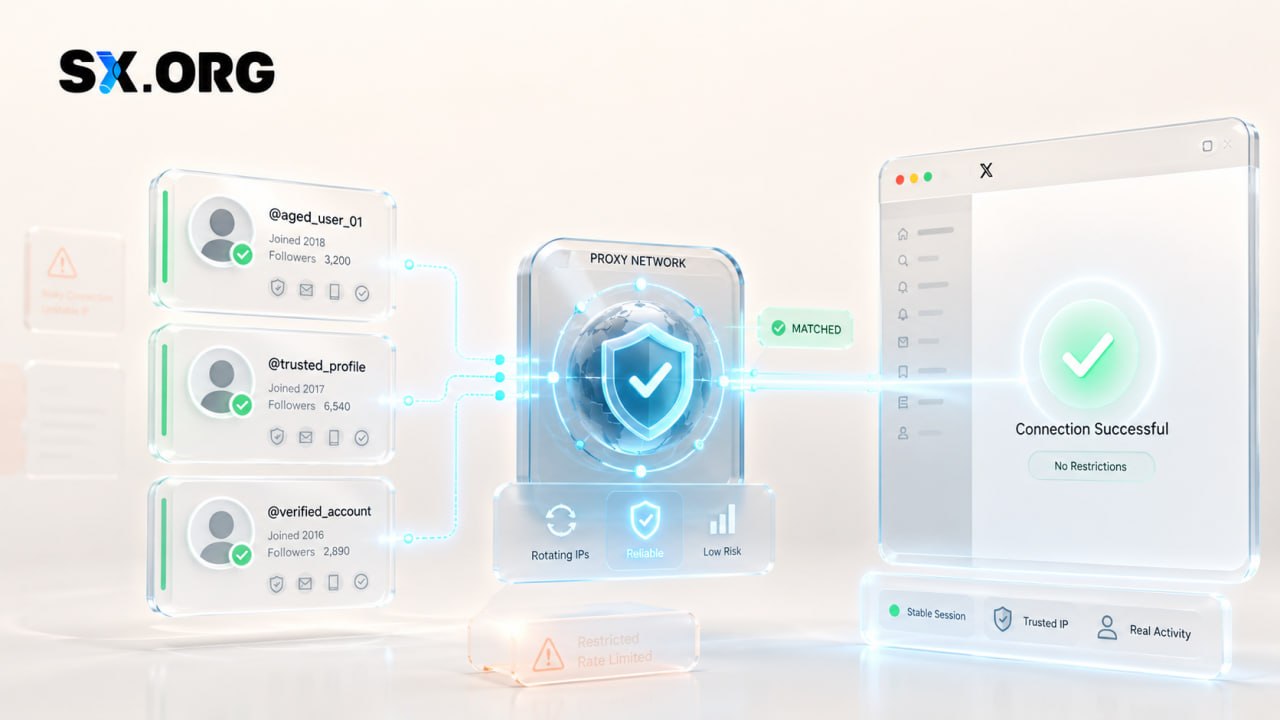
How to Use Proxies With Aged Accounts Without Triggering Restrictions
Last reviewed: September 2, 2026
Teams use proxies to control which network their traffic leaves from. An agency in one country managing a client's page in another, a QA team checking how a product page looks in a specific region, a company that wants every social login to come from one fixed business address: these are ordinary reasons to route traffic through a proxy.
The friction starts when the network changes and the platform notices. Most large platforms watch for logins from an unfamiliar device or location and respond with an extra check. A proxy changes exactly one thing the platform sees: the public IP address, and with it the network operator and approximate location tied to that address. It does not change who owns the account, the account's history, the device or browser you use, or the platform's rules.
This guide explains how proxies interact with account security, where the friction comes from, what a proxy can and cannot do, and when you may not need one at all. Platform terms apply to everything below.
Quick Answer
When an authorized team uses a proxy with an established social media account, three things matter. First, the connection should be consistent: the same network type and location each session, not a different exit point every day. Second, the account itself must be secured with two-factor authentication, recovery details the business controls, and role-based access instead of shared passwords. Third, everyone involved should understand that a proxy only changes the visible IP address. It cannot fix a policy problem, replace a verification step, or make unauthorized access look legitimate.
What Does a Proxy Actually Change?
A proxy changes the IP address a website sees, and by default nothing else.
In HTTP terms, a proxy is an intermediary that receives your request and forwards it on your behalf (RFC 9110, section 3.7). The website records the proxy server's address instead of yours. Because IP addresses are assigned in blocks to network operators, that single change carries some related information with it: which company runs the network (an ISP, a mobile carrier, or a hosting provider), the type of network, and an approximate location.
"Approximate" is doing real work in that sentence. IP geolocation is an estimate. MaxMind, one of the largest geolocation data providers, reports country-level accuracy above 99% but city-level accuracy of only 20% to 75%, and notes that for a proxy or VPN the location returned belongs to the server, not the person behind it (MaxMind: IP geolocation accuracy).
Everything else stays where it was.
| Signal | Changed by proxy? | Explanation |
|---|---|---|
| Public IP address | Yes | The site sees the proxy server's address. |
| Network operator (ISP, carrier, or host) | Yes | Inherited from whoever owns the proxy's IP block. |
| Approximate location | Yes | Derived from the proxy IP. Country level is reliable; city level often is not. |
| Device and operating system | No | Your hardware, OS, and screen are unchanged. |
| Browser, cookies, stored sessions | No | The browser still carries the same cookies, extensions, and saved logins. |
| Browser time zone and language | No | Reported by the browser, not by the network. |
| Account ownership and history | No | Account age, past logins, and content stay in the platform's records. |
| Roles and permissions | No | Access is decided by the account's settings, not by the IP. |
| Platform policies | No | Terms of service apply on any network. |
| Identity and verification status | No | ID checks, phone verification, and business verification are separate systems. |
One practical consequence: if your browser reports a time zone that does not match the proxy's region, that mismatch exists because the proxy did not touch the browser. People who expect a proxy to "relocate" everything are often surprised by this.

Why Can a Network Change Trigger a Security Check?
Because platforms treat an unfamiliar device or location as a possible sign that someone other than the owner is signing in.
This is documented behavior, not speculation. Facebook's login notifications send an alert each time someone logs in from a new place, and ask you to name and save recognized devices (Facebook Help). Google sends a "Did you just sign in?" notification when an account is used on a new device and adds an extra confirmation step for devices it has not seen before (Google Account Help). LinkedIn says security prompts appear when you sign in from an unfamiliar location or device, or when it detects suspicious web activity (LinkedIn Help). TikTok's 2-step verification is triggered when you log in from a new or unfamiliar device (TikTok Support).
"Device" is broader than hardware. GitHub's documentation is unusually clear: an unrecognized device can be a new computer, a new browser, or a new browser profile, and clearing cookies makes the same machine look new again (GitHub Docs). Other platforms do not publish that detail, but they rely on the same mechanism, which is a cookie or token stored in the browser.
The location in these alerts is approximate. Apple states plainly that the location shown in a new sign-in notification is based on the IP address or network the device is using, not its real position (Apple Support). Platforms know this. A new IP by itself is normally a reason to ask for confirmation, not a reason to punish.
Three different outcomes get mixed together in most articles on this topic. They are not the same thing.
| Security check | Policy restriction | Account suspension | |
|---|---|---|---|
| What it is | A verification step: a code, an email link, a prompt on another device, or a lock until you reset your password | A limit on specific actions (posting, messaging, advertising, sending requests) after a rules violation | Loss of access to the account, temporary or permanent |
| Typical cause | Unfamiliar device or location, cleared cookies, repeated failed logins, a newly added recovery method | Content, spam, advertising, or behavior that breaks the platform's terms | Repeated or severe violations, confirmed unauthorized access, false identity information, ban evasion |
| How it is resolved | Complete the check using the account's real recovery methods | Wait for the restriction to expire, or appeal | Appeal through the official process, often with identity documents |
| Does the network affect it? | Yes. An inconsistent IP produces more of them | No | No |
Keep these separate when you troubleshoot. If you are seeing security checks, your connection or browser state is probably inconsistent. If you are seeing restrictions or suspensions, the cause is what the account did, and no change of network will address it.

Legitimate Reasons Businesses Use Proxies
The most common reason is that the team and the account are not in the same place.
- Distributed teams. An agency in Lisbon managing a US brand page may want that page's logins to come from one consistent US business network rather than from five employees' home connections in five cities.
- QA and localization testing. Checking that ads, prices, currencies, and language versions render correctly for users in specific countries.
- Regional experience checks. Seeing search results, app store listings, or content availability the way a user in another market sees them.
- Network architecture. Routing all social-account traffic through one fixed egress point so the security team has a single place to log and audit access.
- Approved data workflows. Monitoring public pages at a controlled rate, within the platform's terms and its API rules where they apply.
None of these require a proxy in every case. If the whole team works from one office, the office network already gives you a consistent egress point, and a proxy adds nothing.
Residential vs ISP vs Mobile vs Datacenter Proxies
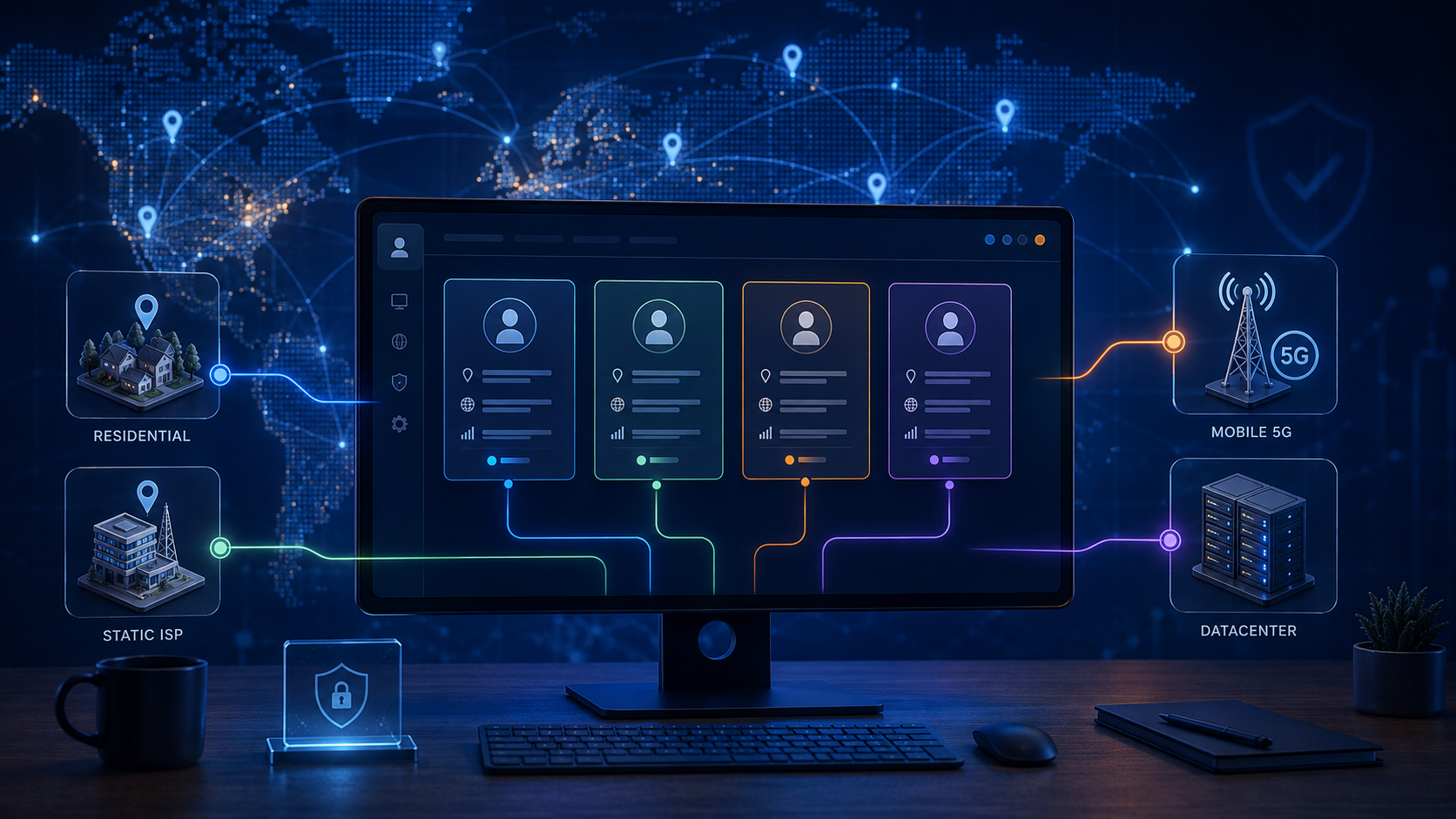
The four types differ in who owns the IP address and how traffic is routed through it.
| Proxy type | How it works | Typical legitimate use | Advantages | Limitations | Stability | Rotation |
|---|---|---|---|---|---|---|
| Residential | IP belongs to a consumer ISP and traffic exits through a real household connection, usually via a peer network or provider-owned devices | Localization and regional QA; distributed teams that need consumer-network addresses | Appears as ordinary consumer traffic; wide country and city coverage | Speed and uptime depend on the household connection; quality depends on how the provider sources its network | Moderate. A "sticky" session can hold one IP for minutes to hours, not indefinitely | Rotating by default; sticky sessions on request |
| ISP (static residential) | IP is registered to a consumer ISP but hosted on server infrastructure | Long-running logged-in sessions that need one fixed address | Fixed IP; server-grade uptime; consumer-ISP registration | Smaller pool; fewer countries and cities available; higher cost per IP | High. Same IP for the length of the contract | Static; changes only if you request a new IP |
| Mobile | IP belongs to a cellular carrier; traffic exits through a 4G/5G modem or handset | Mobile app QA; checking mobile-only experiences; workflows that genuinely need a carrier network | Carrier IPs are shared by many real users, so a changing address is normal on these networks | Addresses change on the carrier's schedule; slower and more expensive; city-level location is unreliable by design (MaxMind) | Low to moderate | Rotates when the carrier reassigns the address or on a timer |
| Datacenter | IP belongs to a cloud or hosting provider | API-based automation; collecting public data within terms; internal tooling; speed-sensitive tasks | Fast, inexpensive, highly available | Hosting ranges appear on published anonymizer and hosting lists that some services treat as a risk signal (MaxMind); not a consumer network | High | Static or rotating depending on the plan |
What this table does not say is that one type is "safe" and another is "detected." Platforms do not publish how they weight network type, and a vendor claiming to know is selling, not documenting. The verifiable facts are narrower: geolocation providers maintain lists of hosting and anonymizer ranges, and MaxMind's own guidance is that a flagged IP adds risk to a sign-up without proving anything on its own.

Static vs Rotating Proxies
A static proxy keeps one IP address. A rotating proxy changes it, either on every request or on a timer.
Session persistence is the reason this matters. Many sites tie a login session to the IP address that started it. When the address changes mid-session, you can be logged out, asked to verify again, or shown a CAPTCHA. For any task where you sign in and stay signed in, a static IP or a long sticky session avoids this.
Rotation exists for a different job: spreading a large number of requests across many addresses so no single one is overloaded. Checking prices across two thousand product pages is a rotation task. Managing a logged-in account is not.
Rotation also causes a common troubleshooting mistake. If a platform keeps asking you to verify, check whether the proxy is quietly rotating. A "sticky" session that resets every ten minutes looks to the platform like a dozen different devices in a working day.
Rule of thumb: logged-in work uses a static address; logged-out, high-volume, read-only work uses rotation. Rotation should never be used to get around a rate limit or a block. A block is the platform telling you to stop.
What Causes Avoidable Account Security Friction?
Only factors that platforms or technical documentation actually describe are listed here.
- An unfamiliar location or device. Named directly by Facebook, Google, LinkedIn, and TikTok in the sources above.
- Cleared cookies or a fresh browser profile. GitHub documents this explicitly. LinkedIn recommends enabling cookies and not signing out during the day as ways to see fewer prompts (LinkedIn Help).
- Using a VPN or proxy at all. The same LinkedIn page lists "avoid using VPN or proxy server" among its tips for reducing security challenges. That is a platform stating that an anonymized or changing network is, by itself, a prompt trigger. It is the single most important sentence for this topic and it argues for consistency, not for cleverness.
- Repeated failed sign-in attempts. X's login screen blocks an attempt when it notices unusual activity, such as too many tries or a login from a different location or device, and asks you to wait.
- Exposed or reused passwords. TikTok notifies you when your password has been exposed in an outside breach (TikTok Support). Reddit's response to detected irregularities is to lock the account until the password is reset (Reddit Help).
- Recently changed recovery methods. Google may require a waiting period of 7 days after you update sensitive account information before it trusts the new method for some actions (Google Account Help).
An earlier version of this article listed IP, country, device, browser, login history, time zone, language, and activity as a combined set of signals. Some of those are documented. Some are reasonable inferences about how browsers work. None are published as a scoring model, so that list has been reduced to what the sources support.
Account Access Checklist for Authorized Teams
This checklist protects an account whether or not a proxy is involved. Work through it in order.
- Write down who is authorized. Names, roles, and the business reason for access. If you cannot produce this list, you do not have an access policy.
- Use the platform's own team features first. Meta's business portfolio lets you assign people to Pages, Instagram accounts, and ad accounts with specific permissions and no shared login (Meta Business Help Center). Most platforms with business tools offer something similar.
- Turn on two-factor authentication with an authenticator app or passkey rather than SMS where the platform allows it. Store backup codes in the company password manager.
- Confirm recovery email and phone belong to the business, not to an employee's personal account.
- Use a password manager for any credential that must be shared. Never send passwords in chat or email.
- Review active sessions monthly. Facebook, Google, LinkedIn, TikTok, and X all list signed-in devices and let you remove them.
- Offboard the same day. When someone leaves, remove their role, rotate any shared password, and end their sessions.
- Keep an access log. Who signed in, from which device, on which network, and why. If a platform ever questions a login, this is how you answer.
- Complete verification requests honestly through the official flow. A request for ID, a phone code, or business documents is not a problem to route around.
- Document network changes. A new office, a new provider, or a new proxy endpoint should be recorded before it is used so that an alert is explainable.

What a Proxy Cannot Protect You From
A proxy changes the network path. It has no effect on any of the following.
- Policy violations. Spam, prohibited advertising, misleading content, and automation the platform forbids are judged on what the account does, not where it connects from.
- Compromised credentials. If the password has leaked, the attacker can log in through their own network. Your proxy is irrelevant.
- False identity information. Verification systems compare what you submit against documents and records. The IP address is not part of that comparison.
- Unauthorized access. An account you do not have permission to use is still unauthorized on any network.
- Malware and phishing. A proxy does not inspect the pages you visit or the files you download.
- Weak passwords and missing 2FA. These are account settings, and a proxy cannot set them for you.
If any of these is the actual problem, fix it directly. Changing the network only delays the moment you have to.
Common Proxy Mistakes
- Using free or unknown proxy services. A free proxy can read your traffic, capture credentials, and share an address with abusive users. The cost of a reputable provider is small compared to the cost of a stolen account.
- Unstable connections. A proxy that drops and reconnects with a new address is worse than no proxy at all, because every reconnection looks like a new location.
- Undocumented setups. If nobody wrote down which endpoint the account uses, the next person to log in will use a different one.
- Sharing credentials instead of assigning roles. Shared passwords cannot be revoked for one person. Roles can.
- Skipping 2FA because "the IP is consistent." A consistent IP is not a second factor.
- Assuming the proxy is a safety guarantee. It is a connectivity choice. Nothing more.
- Ignoring the platform's terms. Some platforms restrict or discourage proxy use outright. LinkedIn's guidance is the clearest example. Read the terms of each platform you manage accounts on.
- Treating a proxy as a way around enforcement. Platforms treat ban evasion as its own violation. An account that was restricted and then reappears from a new network is in a worse position, not a better one.
How to Evaluate a Proxy Provider
Judge a provider on how it runs its network, not on how it describes results. Ask for the following before you pay.
- Privacy policy. What traffic data is logged, for how long, and who can see it.
- Data retention. A specific period, in writing.
- Authentication. Username/password plus IP allow-listing at minimum.
- Session controls. Can you hold one IP for as long as your task needs, and is that documented?
- Network transparency. For residential networks, how the IPs are sourced and whether the end users consented.
- Abuse policy. A provider with no abuse policy is a provider whose IPs are shared with people who abuse them.
- Geographic availability. Country and, if you need it, city coverage for your specific use case.
- Documentation. Clear setup guides for the tools you actually use.
- Support. Response times and hours, tested before you commit.
- Pricing transparency. Per-GB, per-IP, or per-port pricing stated up front, with no surprise overage rules.
A provider that meets these criteria is a reasonable choice regardless of brand. One that does not is a risk regardless of price. As one example among several, our partner SX.ORG publishes its residential and mobile proxy pricing, session options, and country coverage up front, which is the kind of transparency this checklist asks for.
When You May Not Need a Proxy
Many teams buy a proxy for a problem they could solve with a setting.
- The platform provides team permissions. If every team member can be assigned a role on the business account, use the roles. Each person logs in from their own device and network under their own name, and the platform expects exactly that.
- All staff work from approved locations. One office, one network, one consistent egress point. Nothing to add.
- A corporate VPN already gives you a fixed exit address. That is a static IP with better security controls than most proxies.
- The task does not involve geographic testing. If you never need to see the platform as a user in another country, you do not need another country's IP.
A proxy earns its place when the task requires a specific region, when a distributed team needs a single consistent address and no VPN exists, or when a data workflow needs many addresses within the platform's rules. Outside those cases, the simpler setup is usually the more secure one.

Platform-Specific Considerations
Only platforms with public documentation on the relevant behavior are included. Behavior changes; check the linked pages for the current version.
Facebook and Instagram (Meta). Login notifications alert you when someone signs in from a new place, and Facebook asks you to name and save recognized devices (Facebook Help). For teams, the business portfolio in Meta Business Suite is the official way to give people access to Pages, Instagram accounts, and ad accounts without sharing a login (Meta Business Help Center). Instagram security settings for personal accounts live in Accounts Center alongside Facebook's.
LinkedIn. Security prompts are triggered by sign-ins from an unfamiliar location or device or by suspicious web activity, and are usually resolved with a code sent by email. LinkedIn's published tips for seeing fewer prompts are to keep cookies enabled, avoid signing out during the day, and avoid VPNs and proxies (LinkedIn Help). Two-step verification via authenticator app is recommended, and LinkedIn may send a sign-in prompt to the app on an already signed-in device instead of a code (LinkedIn Help).
Reddit. When Reddit detects what it calls technical irregularities, it may lock the account as a precaution. The only unlock path is a password reset sent to the email on the account, so an account without a current email address cannot be recovered (Reddit Help).
TikTok. 2-step verification is prompted on login from a new or unfamiliar device. TikTok lists all signed-in devices under Manage devices, notifies you when it detects that your password was exposed elsewhere, and logs out every other device when you change your password (TikTok Support).
X. X's two-factor option is called login verification. Its compromised-account guidance is to reset the password, revoke third-party app access, and enable login verification (X Help). The login screen may temporarily block sign-in after unusual activity such as repeated attempts or a login from a different location or device.
Frequently Asked Questions
Can a proxy prevent an account from being restricted?
No. Restrictions are applied for what an account does. A proxy changes only the network the account connects from.
Does changing an IP address automatically cause a ban?
No. A new IP usually produces a security check such as a code or a confirmation prompt, not a ban. Bans follow policy violations or confirmed unauthorized access.
What is the difference between a static and a rotating proxy?
A static proxy keeps one IP address for the length of your session or contract. A rotating proxy assigns a new address per request or on a timer. Logged-in work needs static; high-volume logged-out data collection is what rotation is for.
Are residential proxies always better?
No. They look like consumer traffic, but they are slower, depend on the provider's sourcing practices, and cannot hold one address forever. For a fixed long-term address, an ISP proxy or a business VPN is usually the better technical fit.
Can a proxy replace two-factor authentication?
No. A proxy is a network path. Two-factor authentication is proof that the person logging in holds a second credential. They solve different problems and you need the second one regardless of the first.
Does a proxy change a browser fingerprint?
No. Time zone, language, screen size, installed fonts, and similar values are reported by the browser and are untouched by a proxy. A mismatch between the browser's time zone and the proxy's region is common for exactly this reason.
Can remote teams manage social accounts without proxies?
Yes, and in most cases they should. Assign each team member a role through the platform's business tools and let them sign in from their own device. The platform expects team members in different places; it does not expect one login that moves between countries.
What should I do if a platform requests verification?
Complete it through the official flow with real information, from the same device and network the account normally uses. Do not retry from a different network, and do not enter details that do not match the account's real recovery methods.
This guide was reviewed against current platform security documentation and technical documentation about proxy network types. Platform policies and security systems change, so readers should verify current requirements with the relevant platform.
Related reading on the AccsZone blog: why purchased Gmail accounts get banned in 48 hours and our comparison of anti-detect browsers. Questions about a specific setup? See the Help Center.